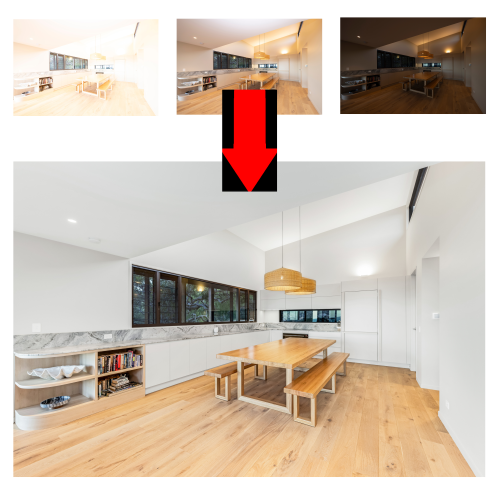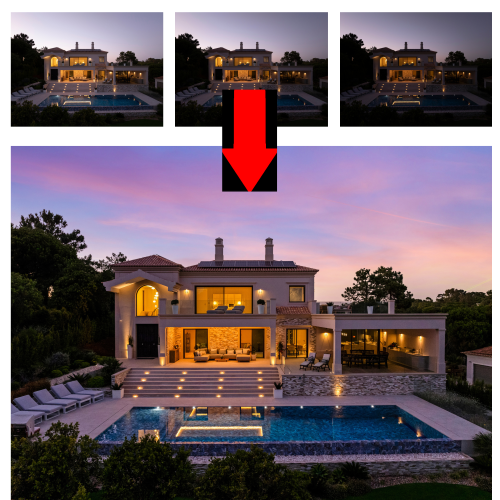
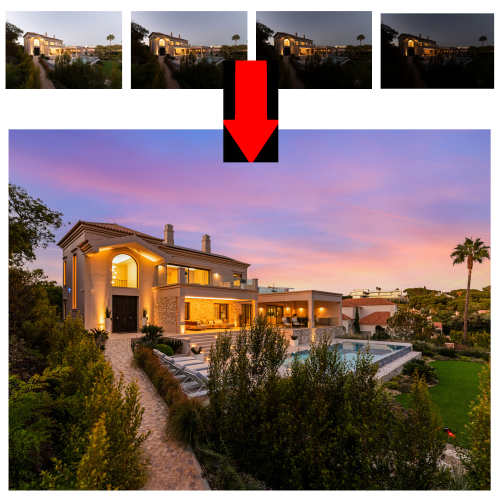
Image blending is a sophisticated photo editing technique that combines multiple images into a single, cohesive visual. This process involves seamlessly merging different photographs or elements—such as backgrounds, subjects, textures, or objects—to produce a harmonious composition that often appears natural or artistically striking.
Image blending typically requires precise masking, layering, and masking techniques to ensure that the transitions between images are smooth and realistic. Editors adjust colors, lighting, and shadows to match different elements, optimizing the final composite for realism or creative effects.
Applications of Image Blending
Photo Manipulation and Art
Creating dream like scenes, fantasy worlds, or conceptual artwork.
Product and Fashion Shoots
Combining different product images or adding effects to highlight features.
HDR and Exposure Blending
Merging images with different exposures to achieve high dynamic range effects.
Background Replacement
Merging subjects with different backgrounds for landscape composites, or creative storytelling.
Advertising & Marketing
Creating eye-catching visuals that blend multiple elements to convey complex messages.